
How we picked the best AI invoicing tools
We evaluated AI invoicing tools using 2026 benchmarks for accuracy, speed, integration, and cost. Our goal was to identify platforms that handle B2B payments efficiently without requiring extensive manual oversight.
Accuracy is the baseline. We prioritized tools that maintain high data extraction precision across varied invoice formats. Speed matters for cash flow. According to 2026 benchmarks from Parseur, AI invoice processing can cut costs to about $2.36 per invoice. Processing speed jumps from the traditional 10–30 minutes to just 1–2 seconds with AI.
Integration determines usability. We looked for seamless connections with major accounting software and bank feeds. Finally, we assessed cost structures, favoring tools that offer transparent pricing without hidden fees for high-volume users. This rigorous filtering ensures the recommended platforms deliver tangible ROI for B2B operations.
Top AI invoicing platforms for 2026
Choosing the right AI invoicing tool depends on your team's size, existing accounting stack, and how much automation you need. The market has shifted from simple data entry to full end-to-end workflow management, where software not only extracts data but also matches it to purchase orders and triggers payments.
We evaluated the leading platforms based on AI accuracy, integration depth, and ease of use. Below are the top contenders that handle the heavy lifting of B2B payments.
Sai by Simular
Sai by Simular stands out for its ability to handle end-to-end invoice workflows without requiring extensive manual setup. It uses AI to parse complex invoice formats and automatically routes them for approval based on predefined rules. This tool is particularly effective for mid-sized businesses that receive a high volume of invoices from diverse vendors.
The platform integrates directly with major accounting systems, ensuring that data flows seamlessly from receipt to ledger. Sai reduces the time spent on manual data entry, allowing finance teams to focus on analysis rather than administration.
QuickBooks Online
QuickBooks Online remains a staple for small businesses and freelancers who need a reliable, all-in-one accounting solution. Its AI features focus on automating recurring invoices, categorizing expenses, and forecasting cash flow. While it may not offer the deep automation of enterprise-grade tools, it is robust for straightforward invoicing needs.
The user interface is intuitive, making it easy for non-accountants to manage billing. It connects with thousands of third-party apps, expanding its functionality beyond basic invoicing.
Tabs App
Tabs App offers a flexible, no-code platform designed for businesses that need custom billing workflows. Its AI capabilities help automate contract intelligence and pricing calculations, making it ideal for service-based companies with complex billing structures. The platform allows users to build custom dashboards and reports tailored to their specific metrics.
Tabs App excels in pricing flexibility, allowing businesses to create unique billing models that standard software might not support. It is a strong choice for agencies and consultancies that need to invoice based on milestones or custom deliverables.
Gennai
Gennai focuses on the state of invoice automation, providing tools that help finance teams reach full automation. Its platform uses AI to detect anomalies and potential fraud in invoices, adding a layer of security to the payment process. Gennai is designed for larger organizations that need to manage high volumes of transactions with strict compliance requirements.
The platform offers detailed analytics and reporting, helping businesses understand their spending patterns and optimize their accounts payable processes.
| Tool | Best For | AI Focus |
|---|---|---|
| Sai by Simular | Mid-sized businesses | End-to-end workflows |
| QuickBooks Online | Small businesses | Recurring invoices & cash flow |
| Tabs App | Service-based companies | Custom billing & contract intel |
| Gennai | Large organizations | Fraud detection & compliance |

![QuickBooks Desktop Pro 2018 Small Business Accounting Software [PC Download]](https://m.media-amazon.com/images/I/81k2JgfN6nL._AC_UY654_QL65_.jpg)
As an Amazon Associate, we may earn from qualifying purchases.
AI agents for accounts receivable and collections
Generating a PDF invoice is only half the battle. The real bottleneck in B2B cash flow is often the weeks that follow, when accounts receivable teams manually track down unpaid bills. AI agents for accounts receivable and collections move beyond simple generation to actively manage the entire lifecycle, reducing days sales outstanding (DSO) by handling the repetitive, high-friction parts of the chase.
Modern AI agents act as autonomous assistants that draft collection emails, answer routine payment questions, and prioritize invoices based on risk scores. They analyze payment history to identify which clients are likely to delay, allowing human staff to focus only on the high-value negotiations. This shift from reactive chasing to proactive management ensures that cash flow remains predictable without burning out your finance team.
To support these workflows, many businesses integrate dedicated automation tools that connect directly with accounting software. These platforms use machine learning to predict payment dates and automatically send reminders at the optimal time, reducing the awkwardness of human-led follow-ups. By automating the mundane aspects of collections, you free up your team to handle complex disputes and build stronger client relationships.


As an Amazon Associate, we may earn from qualifying purchases.
How AI reduces days sales outstanding
Days sales outstanding (DSO) measures how long it takes your business to collect cash after issuing an invoice. The longer the wait, the tighter your cash flow gets. AI tools attack this delay by removing the manual bottlenecks that traditionally slow down the accounts receivable process.
The primary mechanism is speed. AI-powered invoice capture and matching systems can process documents in seconds rather than days. By automatically extracting data and matching it against purchase orders, these tools eliminate the back-and-forth emails and phone calls that usually stall payment approval. This allows invoices to move from "pending" to "paid" significantly faster.
Accuracy plays an equally critical role. Manual data entry is prone to errors that lead to disputes, which can push DSO from weeks to months. AI validation ensures that invoice details match the underlying contract or order before the request reaches your finance team. Fewer errors mean fewer reasons for clients to withhold payment. When combined with automated follow-ups, these systems keep the payment pipeline moving without requiring constant human intervention.
Checklist for choosing AI invoicing software
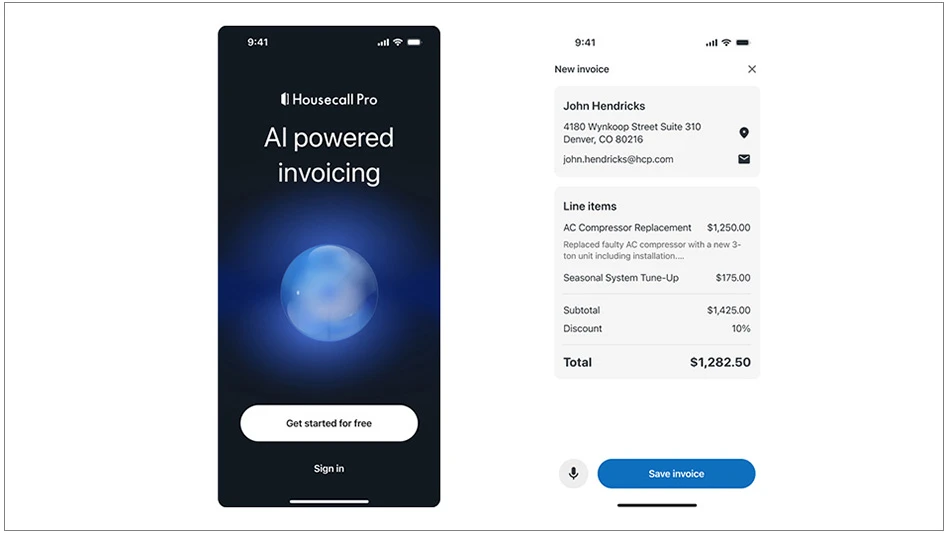
Selecting the right AI invoicing software requires testing specific capabilities against your current workflow. Instead of comparing abstract features, evaluate these four areas to ensure the tool reduces manual work and integrates smoothly.
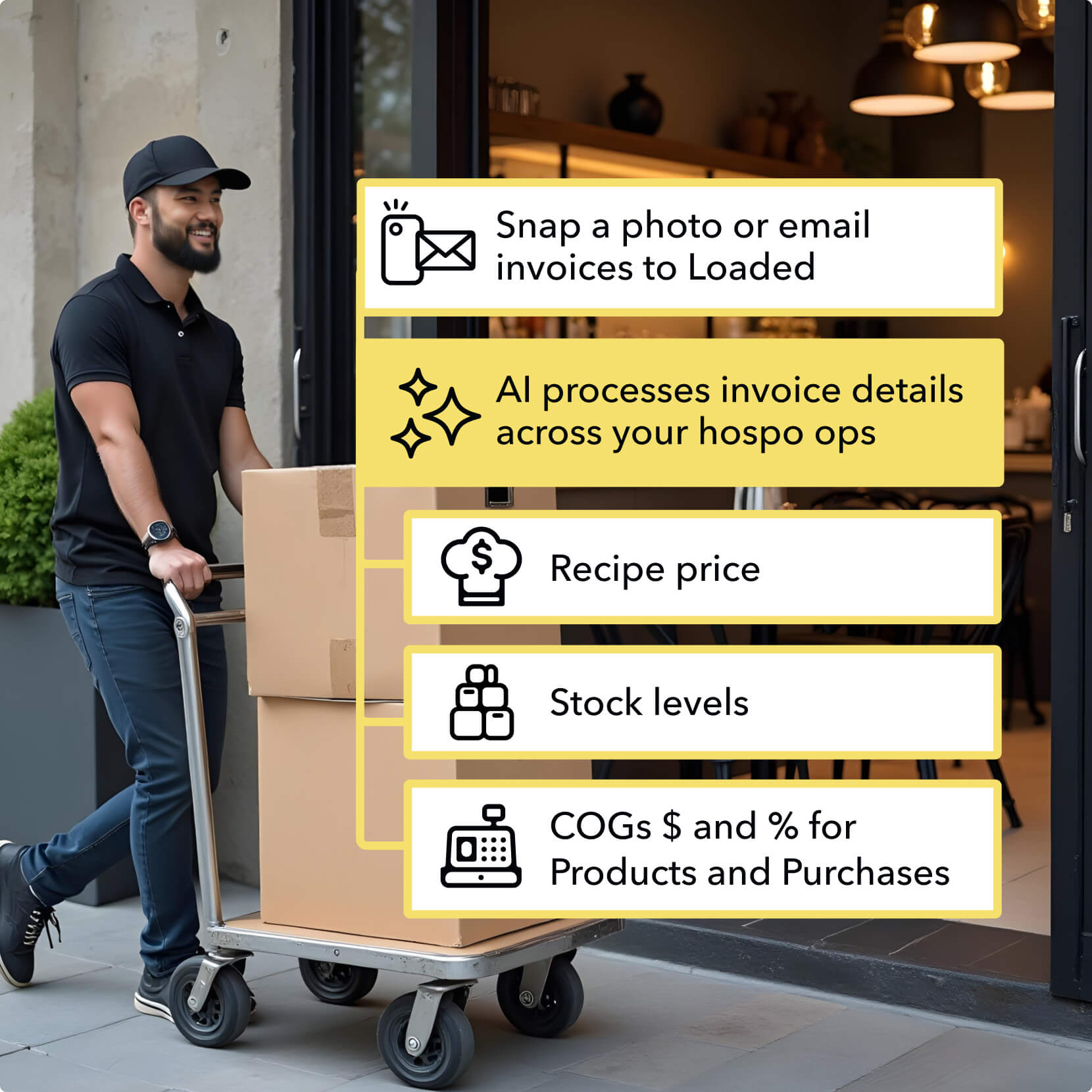
Ensure the software syncs with your existing accounting platform. Look for native two-way sync with QuickBooks, Xero, or NetSuite to prevent duplicate data entry and keep your ledgers accurate.

Review the tool’s extraction precision. High-quality AI should handle varied formats and handwritten notes with over 95% accuracy. Test it with your most complex invoices to see if it requires excessive manual correction.
Check how the vendor charges for volume. Some tools cap the number of processed invoices, while others charge per user. Choose a model that scales predictably as your B2B payment volume grows.

Determine if the AI can read payment terms and due dates from contracts. This feature automates cash flow forecasting and ensures you capture early payment discounts or avoid late fees automatically.
As an Amazon Associate, we may earn from qualifying purchases.
Frequently asked questions about AI invoicing
How do AI agents handle billing differently than basic automation?
Standard automation follows fixed rules, but AI agents can draft collection emails, answer payment questions, prioritize invoices, and analyze payment risk without manual intervention. They initiate actions based on context rather than just executing a script, making them more effective for complex B2B payment workflows.
How much does AI invoicing software cost?
Pricing varies by platform and feature set. Many tools offer tiered plans based on the number of invoices processed or users. Look for platforms that include AI-driven features like automated data extraction and risk analysis in their mid-tier plans to get the most value without paying for unused enterprise capabilities.
What makes an AI invoicing tool reliable for B2B payments?
Reliability comes from accurate data extraction, seamless integration with your existing accounting software, and robust security protocols. Look for tools that reduce errors in AP workflows and provide clear audit trails. Compliance with data privacy regulations is also essential to protect sensitive financial information during the automated process.
No comments yet. Be the first to share your thoughts!