
Set up the automation workflow
B2B invoice automation starts with connecting your existing financial systems to the automation engine. Without this integration, the software cannot capture data or trigger payments. You need to map your ERP fields to the invoice template so that line items, tax codes, and vendor details flow correctly.
Connect ERP and accounting data
Link your ERP system (like NetSuite, SAP, or QuickBooks) to the automation platform. Most vendors offer pre-built connectors that sync vendor master data and payment terms. This ensures that when an invoice arrives, the system already knows who the vendor is and what the agreed payment terms are. Forrester notes that this integration is foundational for reducing manual data entry errors in 2026 Forrester.
Select your ERP from the integration menu. Map key fields such as GL codes, cost centers, and vendor IDs. Test the connection by pulling a sample vendor record to confirm data syncs accurately.
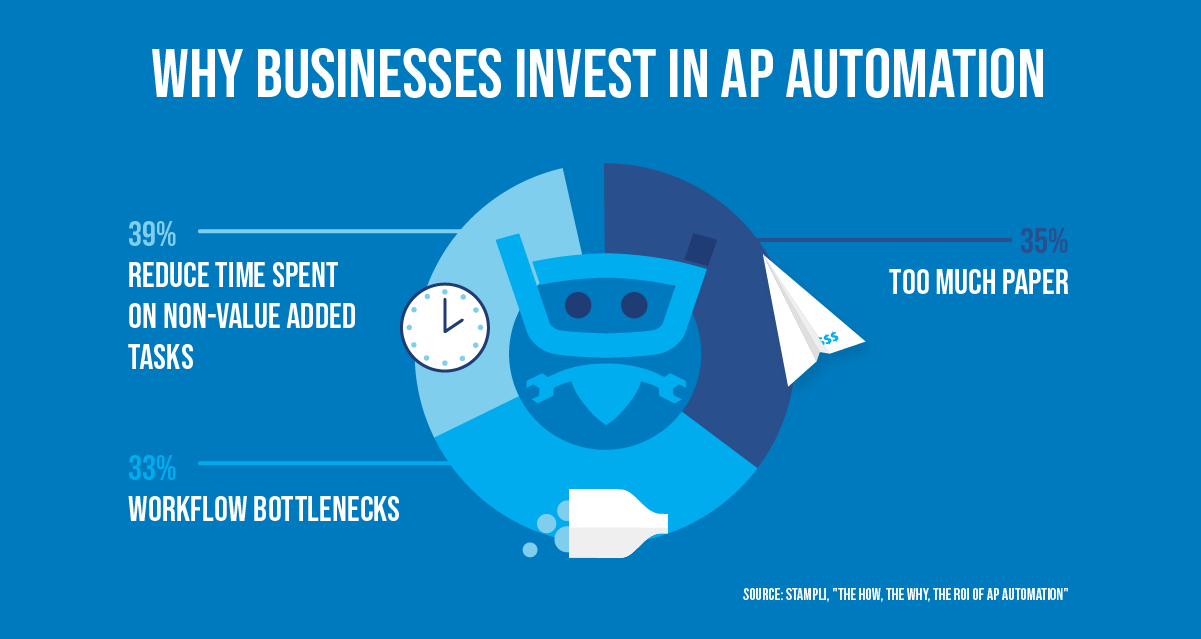
Set up rules to validate invoice data before it enters your accounting system. Define acceptable ranges for tax rates, required PO numbers, and duplicate detection thresholds. This prevents incorrect or fraudulent invoices from moving forward in the workflow.

Define who approves invoices based on amount, department, or vendor type. For example, invoices under $500 might auto-approve, while those over $5,000 require manager sign-off. This speeds up low-risk payments while maintaining control over larger expenditures.
Validate invoice fields and exceptions
Once the workflow is active, the system will flag exceptions that don't match your rules. These might include mismatched PO numbers, missing tax IDs, or invoices from unapproved vendors. Your AP team should review these exceptions daily to keep the pipeline moving. HighRadius highlights that automated validation significantly reduces the time spent on manual checks HighRadius.
Integrate cross-border payment rails
Linking your automated invoicing system to modern payment rails removes the friction that traditionally delays international settlements. Instead of relying on legacy banking corridors, you can route payments through stablecoin networks or embedded finance platforms to eliminate foreign exchange (FX) spreads and reduce settlement times from days to minutes.
This approach is particularly effective for B2B transactions where currency volatility and intermediary bank fees erode margins. By integrating APIs from providers like TreviPay or using direct stablecoin rails, your accounts receivable (AR) team can issue invoices that settle instantly upon approval, regardless of the payer’s location. This reduces Days Sales Outstanding (DSO) and improves cash flow predictability.
The table below compares the operational realities of traditional wire transfers against automated stablecoin escrow for B2B invoices.
| Feature | Traditional Wire | Stablecoin Escrow | Embedded Finance |
|---|---|---|---|
| Settlement Time | 2-5 Business Days | Minutes | 1-2 Days |
| FX Spread | 1.5% - 3.5% | 0.1% - 0.5% | 0.5% - 1.0% |
| Intermediary Fees | $15 - $50 per transfer | Network Gas Fees (<$1) | Included in FX |
| Reconciliation | Manual Matching | Automated via Smart Contract | API-Driven |
| Compliance Burden | High (SWIFT MT103) | Medium (KYC/AML) | Medium (KYC/AML) |
When selecting a rail, prioritize platforms that offer native reconciliation. Automated stablecoin escrow holds funds in a smart contract until invoice conditions are met, releasing payment instantly to the vendor while providing an immutable audit trail. For organizations requiring more traditional banking integration, embedded finance solutions offer a middle ground by wrapping cross-border payments within existing ERP workflows.
Configure AI-driven collection triggers
AI-driven collection triggers shift accounts receivable from reactive chasing to proactive prediction. Instead of sending generic reminders to all overdue accounts, your system uses machine learning to score each invoice based on payment history, industry norms, and current economic signals. This allows you to prioritize high-risk accounts and automate the right communication at the right time.
1. Define risk thresholds and customer segments
Start by segmenting your customer base. Not all late payments are equal; a major enterprise partner with a 15-day delay is different from a small business with a 45-day delay. Configure your AI model to recognize these patterns. Use historical data to establish baseline payment behaviors for each segment. This ensures that the AI doesn't treat every overdue invoice with the same urgency, preserving relationships with reliable clients while focusing effort on high-risk accounts.
2. Set up predictive payment scoring
Enable predictive scoring within your AR automation platform. This feature analyzes variables such as invoice age, customer credit score, and recent transaction history to assign a probability of payment within a specific timeframe. For example, an invoice with a 90% predicted payment rate might require no immediate action, while one with a 30% rate triggers an immediate alert. This data-driven approach reduces manual AR effort by filtering out noise and highlighting only the accounts that need attention.
3. Automate dynamic reminder sequences
Once risk is identified, automate the response. Configure AI to adjust the tone, channel, and frequency of reminders based on the customer's predicted behavior. A high-risk account might receive a personalized email from an account manager, while a low-risk account receives a polite automated notification. This dynamic sequencing ensures that communications are relevant and timely, increasing the likelihood of payment without overwhelming your team with manual follow-ups.
4. Integrate with CRM and ERP systems
Ensure your AI triggers are integrated with your CRM and ERP systems. This allows for real-time updates on customer interactions and payment statuses. When a payment is received or a dispute is logged, the AI model updates its predictions instantly. This integration creates a closed-loop system where every interaction refines the next action, improving accuracy over time and providing a complete view of the customer relationship.
5. Monitor and refine models continuously
AI models require regular tuning. Review the accuracy of your predictions monthly. If the AI is overestimating payment likelihood for a specific segment, adjust the weights in your model. Use feedback from your AR team to identify false positives or negatives. Continuous refinement ensures that your triggers remain effective as customer behaviors and economic conditions change, maintaining the efficiency of your automated collection process.
Comply with 2026 e-invoicing mandates
By April 1, 2026, the regulatory landscape for B2B invoicing will shift from optional digitization to strict mandatory compliance. In India, for example, e-invoicing becomes mandatory for businesses with an aggregate annual turnover exceeding Rs. 5 crore in the 2025-26 financial year. For larger entities with turnover above Rs. 10 crore, the 30-day reporting window on the Invoice Registration Portal (IRP) is also enforced starting this date. Similar mandates are tightening across the European Union and other regions, making manual compliance a high-risk liability.
Automation platforms are no longer just efficiency tools; they are your primary compliance infrastructure. Modern B2B billing software handles this by generating invoices in the exact XML or JSON formats required by government portals. The system automatically validates data against regulatory rules before submission, ensuring that every invoice meets the technical specifications for unique identification numbers (UINs) and digital signatures.
To prepare your finance team, follow this sequence to integrate compliance into your workflow:


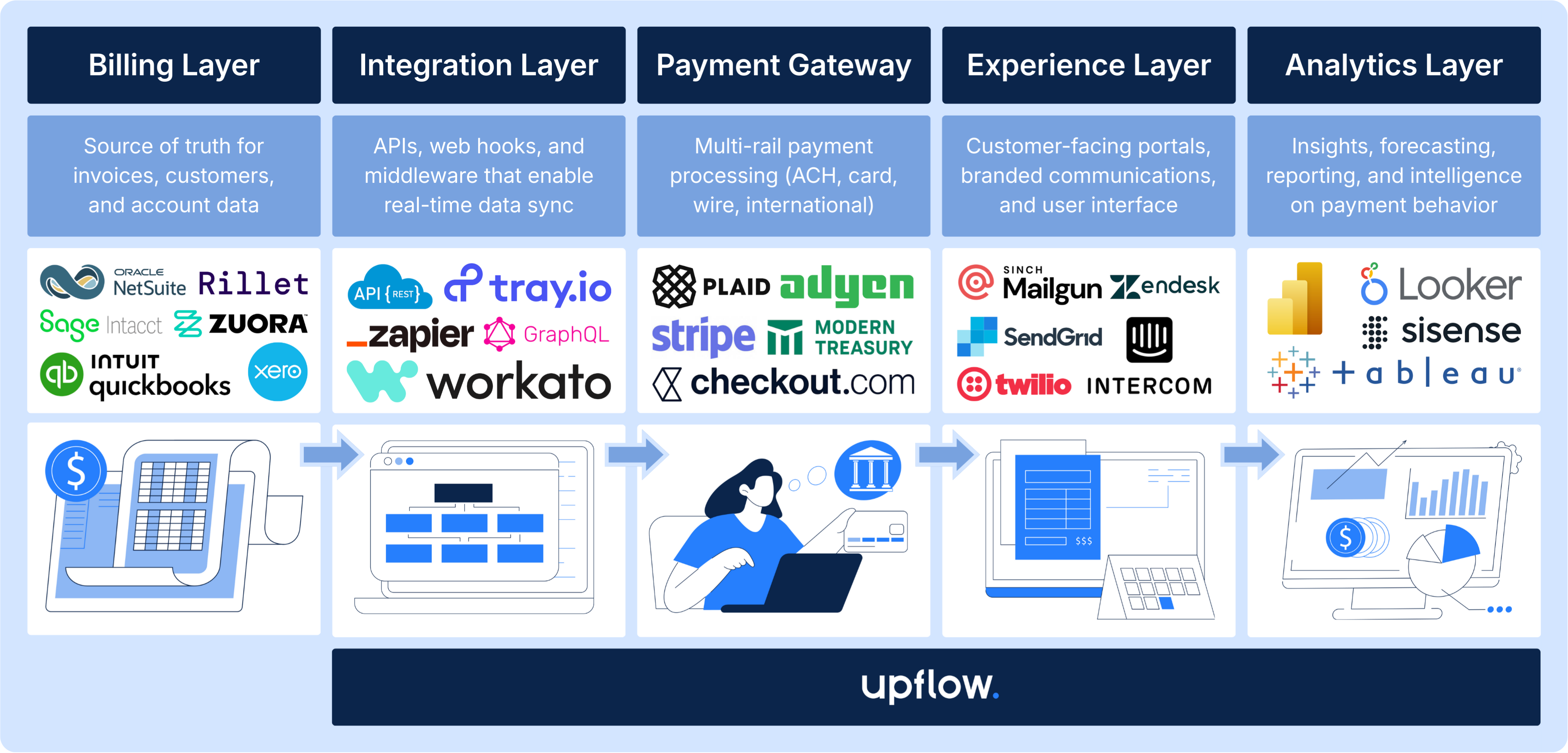
Relying on spreadsheets or legacy ERP modules that require manual data entry creates a bottleneck. When a system cannot auto-generate the required cryptographic stamp or QR code, the invoice is legally void. By embedding these compliance steps into your automation logic, you turn a regulatory burden into a seamless part of your daily operations.
Validate the automation setup
Before switching to live transactions, run a validation sequence to ensure your B2B invoice automation is accurate, compliant, and ready for scale. This final check prevents costly data errors and ensures your finance team can trust the new system.
1. Verify data integrity and mapping
Confirm that all invoice fields map correctly from your source system to your ERP. Test a variety of invoice types—standard, credit notes, and partial payments—to ensure no data is lost or misaligned during the transfer.
2. Test payment rail connectivity
Ensure your system can successfully send and receive payments through your chosen rails (ACH, wire, virtual cards). Run a small test transaction to verify that funds clear correctly and that the status updates in your dashboard in real time.
3. Check compliance and regulatory settings
Verify that your automation settings align with current tax and e-invoicing regulations. For 2026, this includes checking if your entity meets the new mandatory e-invoicing thresholds, such as the Rs. 5 crore annual turnover rule in India, and ensuring your IRP portal integration is active.
4. Run the pre-launch checklist
Use this final checklist to confirm readiness:
-
All vendor master data is up to date
-
Approval workflows are tested with edge cases
-
Tax calculations match local regulatory requirements
-
Error logs are monitored and alerts are configured
-
User access permissions are assigned correctly
5. Train finance and vendor teams
Conduct a final training session for your internal finance team and provide clear instructions for your vendors. Ensure everyone knows how to handle exceptions, such as rejected invoices or payment discrepancies, to minimize disruption during the go-live phase.
Common questions about B2B automation
What are the new rules for invoices in 2026?
Mandatory e-invoicing begins on April 1, 2026, for businesses with an aggregate annual turnover exceeding Rs. 5 crore in the 2025-26 financial year. For larger entities with turnover of Rs. 10 crore or more, the 30-day reporting limit on the IRP portal applies immediately. Ensure your automation software can handle these real-time validation requirements to avoid compliance penalties. Learn more about GST changes.
What software should I use for B2B billing?
Choosing the right platform depends on your integration needs. Top contenders for 2026 include LedgerUp, Stripe Billing, Chargebee, Maxio, and Zuora. Look for tools that offer native API connectivity to your ERP and automated reconciliation features. See the best platforms for 2026.
How does automation reduce Days Sales Outstanding (DSO)?
Automation cuts DSO by removing manual data entry errors and accelerating the approval workflow. When invoices are generated and sent instantly upon delivery, payment terms start ticking earlier. Automated reminders also nudge late payers without requiring accounts receivable staff to chase them manually.
Can small businesses afford B2B invoice automation?
Yes. Many SaaS billing platforms operate on subscription models with low entry costs. The ROI comes from reduced labor hours and faster cash flow, which often outweighs the monthly fee. Start with a tool that scales with your transaction volume rather than investing in expensive on-premise solutions.
No comments yet. Be the first to share your thoughts!